" width="18px"><g opacity="0.4"><path d="M 17.036 5.786 L 3.536 5.786 C 2.65 5.786 1.929 5.065 1.929 4.179 L 1.929 0.964 C 1.929 0.432 1.497 0 0.964 0 C 0.432 0 0 0.432 0 0.964 L 0 4.179 C 0.001 6.131 1.584 7.713 3.536 7.714 L 17.036 7.714 C 17.568 7.714 18 7.283 18 6.75 C 18 6.218 17.568 5.786 17.036 5.786 Z" fill="rgb(247, 247, 247)" height="7.714428914061898px" id="EIf7EERTU" transform="translate(0 10.286)" width="18px"/></g><path d="M 8.396 0.283 C 8.019 -0.094 7.408 -0.094 7.032 0.283 C 6.655 0.659 6.655 1.27 7.032 1.647 L 9.564 4.18 L 6.429 4.18 C 2.884 4.18 0 7.064 0 10.608 C 0 11.141 0.432 11.573 0.964 11.573 C 1.497 11.573 1.929 11.141 1.929 10.608 C 1.929 8.127 3.947 6.108 6.429 6.108 L 9.564 6.108 L 7.032 8.641 C 6.666 9.019 6.671 9.621 7.043 9.993 C 7.414 10.365 8.016 10.371 8.394 10.005 L 12.573 5.827 C 12.754 5.646 12.856 5.4 12.856 5.145 C 12.856 4.889 12.754 4.643 12.573 4.462 L 8.394 0.284 Z" fill="rgb(247, 247, 247)" height="11.572595196411214px" id="Ha_t3VDsa" transform="translate(5.143 0)" width="12.855651277727503px"/></g></svg>)
Progressive Blur
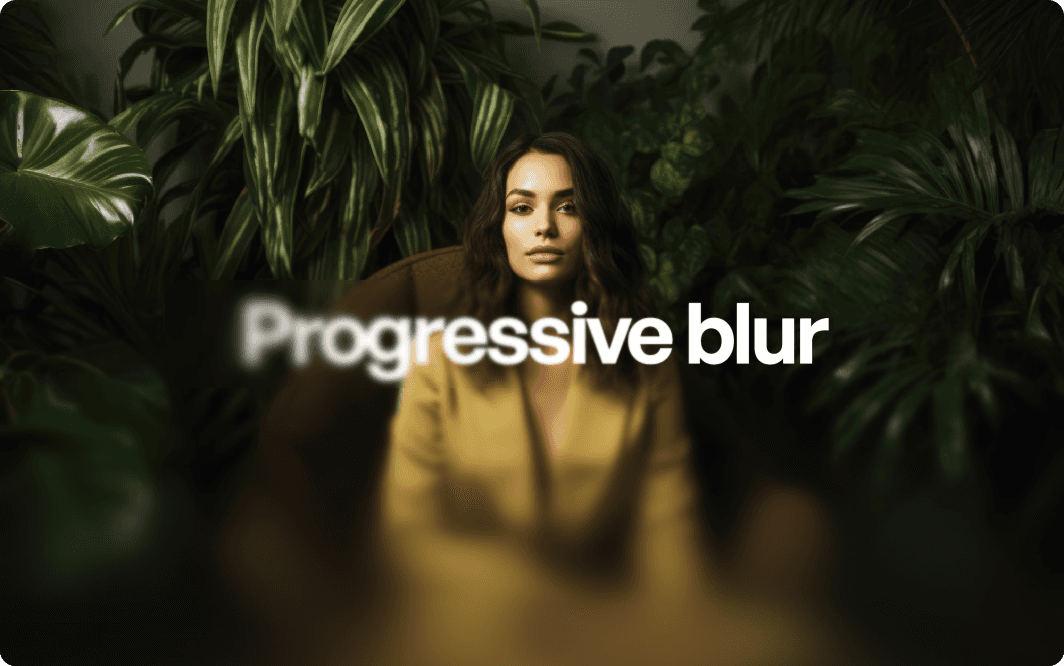
With this component you can apply the famous progressive blur or also called gradient blur that Apple uses it throughout various parts in iOS. The blur effect is easing from a max value to no blur which makes for an amazing effect but also good for accessibility and readability if you don't want to use a contrasting gradient.
Adjustable properties
Blur strength
Blur direction
Corner radius
How do I use it?
You need to copy the component and then simply paste it in your Framer project. It will automatically import and appear in your left sidebar in the Assets tab under components - Eleveight Supply folder. From there you can drag it into your canvas for a new instance.